Introduction
The php vulnerability 2026 alert has raised serious concerns for website owners around the world. Critical flaws in PHP, a programming language used to run millions of websites, have triggered urgent security checks and emergency updates. Some public websites have even been taken offline to reduce the risk of cyberattacks. What makes this incident stand out is the role of artificial intelligence (AI). Security researchers used advanced AI tools to find weaknesses that had remained hidden in PHP code for years. Now, website owners face a race to install security fixes before attackers can take advantage of the flaws. If you run a WordPress blog, an online shop, or a business website, this issue deserves your attention. In this guide, we will explain what happened, why it matters, and what you can do to keep your website safe.
What Is PHP and Why Does It Matter?
PHP stands for PHP: Hypertext Preprocessor. It is a server-side programming language that helps websites show pages, handle forms, manage user accounts, and connect to databases. When someone visits a PHP-powered website, the server runs the code and sends the result to the visitor’s browser. Think of PHP as the engine inside a car. Visitors may only see the body and seats, but the engine helps the car move. In the same way, people may never see PHP, yet it helps many websites work behind the scenes. PHP is widely used because it is free, flexible, and supported by a large community. Many popular tools depend on it, including:
WordPress: Used to build blogs and business websites.
Drupal: A content management system for large websites.
Joomla: A platform for managing website content.
Magento: An e-commerce platform for online stores. Because PHP supports so much of the web, a serious PHP security issue can affect far more than one website. A weakness in the language itself may put many different services at risk at the same time.
What Happened in the PHP Vulnerability 2026 Incident?
The php vulnerability 2026 incident became a global concern after researchers uncovered critical flaws in PHP with help from AI-based security tools. PHP developers then released urgent security fixes and told users to update their systems as soon as possible. The concern was not just that the flaws existed. It was also that attackers could study the newly shared technical details and use them to build attacks. Once a security weakness becomes public, the time available to fix it can shrink quickly. Several organizations chose to take some websites or services offline while they worked to secure their systems. These steps were meant to reduce exposure, not necessarily because every affected website had been hacked. Here are the main points behind the incident:
Long-hidden flaws: The weaknesses had reportedly remained undetected for years.
AI-assisted discovery: Researchers used AI tools to help examine complex code.
Emergency PHP patches: Developers released fixes to address the reported vulnerabilities.
Potential server compromise: Unpatched systems could face serious risks, depending on their PHP version and configuration.
Website outages: Some organizations temporarily shut down services as a safety measure. The key lesson is simple: even software that has worked for years can contain hidden risks. Regular updates and fast security checks are vital for every website owner.
How Dangerous Are the Recent Critical PHP Security Flaws?
The recent critical PHP security flaws have raised concerns because a vulnerable server may expose more than its public web pages. Depending on the specific flaw, software version, and server setup, an attack could threaten website files, private data, or connected databases. For a business website, this could mean stolen customer details, broken services, or unexpected downtime. For a personal blog, it could mean a hacked site, spam pages, or damage to its search reputation. However, it is important to understand that risk does not mean every PHP website has been compromised. The actual danger depends on whether the site uses an affected version, whether the vulnerable code can be reached, and whether the relevant patch has been applied.
| Security concern | What it could mean |
|---|---|
| Server access | An attacker may try to gain control of a vulnerable server. |
| Data theft | Private files or database records could be exposed. |
| Website downtime | Owners may need to disable services during emergency repairs. |
| Malware injection | A compromised site could be altered to spread harmful code. |
| Business disruption | Visitors, customers, and online sales may be affected. |
| SEO damage | Hacked pages may harm trust and search performance. |
The most important step is to check your PHP version and apply the correct security update. Do not assume that a website is safe simply because it still loads normally.
How Artificial Intelligence Helped Discover the PHP Vulnerabilities
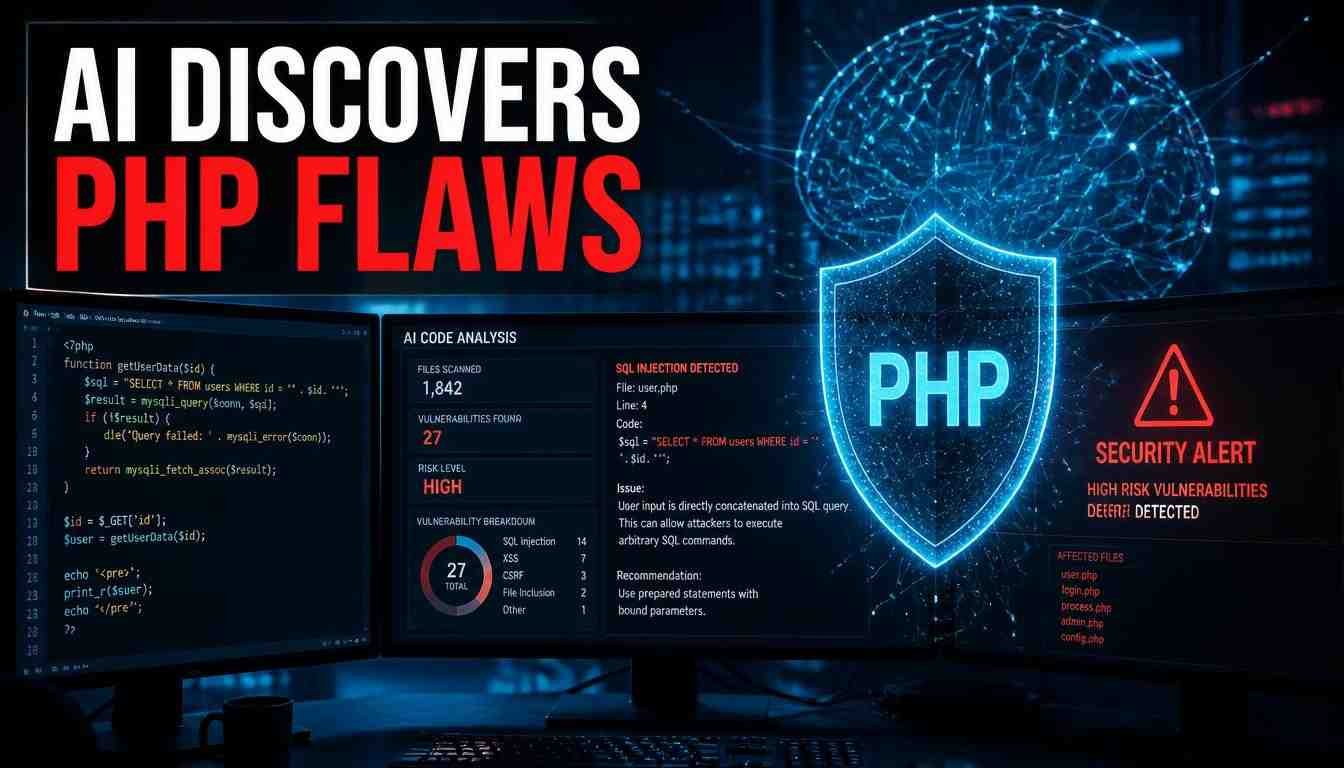
One of the most important parts of the php vulnerability 2026 story is how researchers found the flaws. Modern AI tools can examine large amounts of source code, identify unusual patterns, and help researchers test ideas that might take much longer to explore by hand. In this case, security researchers reported using AI-assisted tools to uncover weaknesses in PHP. These tools helped examine complex code and identify problems that had remained unnoticed for years. This does not mean AI can find every security flaw or that every AI discovery is correct. Human experts still need to review findings, confirm the risks, and work with software developers to create reliable fixes. AI also creates a difficult balance for cybersecurity teams. The same technology that helps defenders find bugs can help attackers understand them faster. Once technical details become public, attackers may use automated methods to search for exposed systems. For website owners, the message is clear: AI is changing the speed of cybersecurity, so keeping software updated is more important than ever.
What Is the php2shell Security Concern?
The term php2shell is associated with discussion of PHP security flaws that may lead to command execution on a vulnerable system. In cybersecurity, a shell is a way to interact with a computer’s operating system through commands. If a flaw allows an attacker to execute commands on a web server, the consequences can be severe. Depending on the attacker’s permissions and the server’s defenses, they might try to read files, change website content, or move deeper into the system. Still, the name alone does not prove that every PHP website is exposed to the same attack. Website owners should rely on the official PHP security advisory for the affected versions, technical details, and recommended fixes. If you manage a website, avoid testing exploit code on a live server. Focus on identifying your PHP version, applying the relevant patch, and checking your security logs for suspicious activity. Important: The terms php2shell, PHP CVE, and PHP vulnerability may appear together in security discussions, but they do not automatically refer to the same issue. Always confirm the exact vulnerability identifier before taking action.
PHP CVE 2026: Understanding the Reported Vulnerability IDs
A PHP CVE is a security flaw recorded under a unique identifier in the Common Vulnerabilities and Exposures system. These IDs help developers, hosting providers, and security teams identify specific bugs and find the right fixes. In discussions about the php vulnerability 2026 incident, the identifiers CVE-2026-109618 and CVE-2026-109619 may appear in search results and security reports. Before relying on either number, check the official PHP security announcements to confirm its description, affected versions, and patch status. Here is what to check when you see a PHP CVE:
CVE identifier: The unique reference for a reported security flaw.
Affected versions: The PHP releases that contain the flaw.
Severity: How serious the issue may be under certain conditions.
Fixed versions: The releases that include the security fix.
Mitigation steps: Actions to reduce risk if an update cannot be installed at once. Never update a production website based on a headline alone. Confirm the exact advisory and use a supported PHP release that includes the required fix.
Which Websites Could Be Affected by the PHP Issue?
The PHP issue could matter to many types of websites because PHP is used across a wide range of online services. The actual impact depends on the vulnerable code, the PHP version, and the way each server is configured. Large organizations may have dedicated security teams that can apply patches quickly. Smaller websites may depend on a shared hosting provider, making it harder for the owner to know which PHP version runs behind the scenes. Potentially affected website types include:
WordPress websites: Blogs, news portals, and business sites.
Online stores: E-commerce platforms that use PHP.
Government portals: Public services and information websites.
Forums and communities: Platforms that let users post content.
Custom PHP applications: Websites built with their own code.
Older websites: Sites running outdated or unsupported PHP releases. A website going offline does not always mean it was attacked. In some cases, taking a service offline is a planned safety measure while administrators apply a patch or check for signs of compromise.
Why Did Some Government and Public Websites Go Offline?
During the October 2026 security alert, some public organizations temporarily shut down websites and online services. The goal was to limit exposure while teams reviewed the risk and prepared security updates. For a government website, even a short outage can affect access to public information and essential services. However, leaving a vulnerable server online may carry a greater risk if the flaw can be exploited. This is why security teams sometimes choose temporary downtime over continued exposure. It is similar to closing a shop briefly to repair a damaged lock rather than leaving the door open overnight. The incident also showed how one software weakness can affect organizations in different countries at the same time. When many services depend on the same technology, a single critical flaw can create a wide security response. Reports of affected websites should not be taken as proof that every site suffered a data breach. A precautionary shutdown and a confirmed cyberattack are two different things.
How to Protect Your Website From PHP Vulnerabilities in 2026
If you own a website, do not panic. Take a calm, step-by-step approach to reduce the risk from the php vulnerability 2026 incident.
1. Check Your Current PHP Version
Log in to your hosting control panel and look for the PHP configuration or PHP version manager. Many hosting providers display the active version for each website. If you use WordPress, you can also check the Site Health section for information about your server’s PHP setup. Ask your hosting provider to confirm whether your current version is affected by the reported flaws.
2. Install the Correct PHP Patch
Update to a supported PHP release that contains the required security fix. The newest major version is not always the only option; some security fixes may also be provided for supported older branches. Before making changes, back up your website files and database. If possible, test the update on a staging site to reduce the chance of breaking plugins, themes, or custom code.
3. Contact Your Hosting Provider
If you use shared hosting, you may not have direct control over the server itself. Contact your provider and ask whether the affected PHP components have been patched. You can send this message:
Hello, I am concerned about the critical PHP security vulnerabilities reported in October 2026. Could you please confirm whether my website’s server is affected and whether the required security patches have been applied? If any action is needed from my side, please let me know as soon as possible.
4. Update WordPress, Themes, and Plugins
A secure PHP version is only one part of website protection. Outdated plugins, themes, and content management systems can create other ways for attackers to enter a website. Update WordPress and its extensions from trusted sources. Remove unused plugins and themes, and avoid installing files from unknown websites.
5. Review Logs and Look for Signs of an Attack
Check your hosting security logs for unusual requests, unexpected file changes, unknown administrator accounts, or strange server processes. These signs do not always prove a breach, but they deserve attention. If you suspect that an attacker gained access, contact your hosting provider or a qualified security professional. Patching the original flaw may not remove a backdoor that was installed before the update.
6. Take the Website Offline if It Cannot Be Secured
If your server is confirmed to be vulnerable and you cannot apply the required fix promptly, ask your hosting provider about temporarily disabling public access or using another safe mitigation. Do not shut down a critical service without considering the impact on users and business operations. Follow official security guidance and restore access only after the risk has been addressed.
Could the PHP Vulnerability Affect WordPress Websites?
Yes, WordPress website owners should pay attention to the php vulnerability 2026 alert because WordPress relies on PHP to run many of its core functions. However, a WordPress website is not automatically vulnerable just because it uses WordPress. The key question is which PHP version runs on the server and whether that version contains the affected code. Your hosting company may manage the PHP runtime, while you manage WordPress itself. To reduce risk, take these steps:
Check the PHP version in your hosting panel or WordPress Site Health.
Ask your hosting provider to confirm the relevant security patches are installed.
Update WordPress core, themes, and plugins.
Back up your files and database.
Review administrator accounts and remove access that is no longer needed.
Enable two-factor authentication for administrator accounts where possible. If your website uses managed WordPress hosting, the provider may handle server-level patches for you. Still, it is wise to request confirmation instead of assuming the issue has been resolved.
What About PHP Security Issues and Pokémon Apps Going Offline?
Searches for php security issues pokemon apps offline may connect the PHP security alert with reports about gaming services or Pokémon-related platforms. However, the phrase alone does not establish that a particular Pokémon game or app was affected by these vulnerabilities. A service may go offline because of routine maintenance, a separate security incident, or a precautionary response. These events should not be treated as proof of a direct link to PHP without a confirmed statement from the service operator. If you use a gaming website or app, check its official status page or verified announcements for accurate information. Avoid downloading unofficial fixes or entering your login details on pages that claim to restore a service. The same rule applies to the keyword GOG, which refers to a digital game distribution platform. Do not assume GOG or any specific game service was affected by the PHP flaws unless reliable information confirms the connection.
read More : Why Did I Receive $90 From Social Security
What Should Website Owners Expect Next?
The php vulnerability 2026 incident highlights a growing challenge for website security teams. Once patches and technical details become public, attackers may move quickly to find servers that have not been updated. In the coming weeks, website owners should pay close attention to security notices from PHP developers, hosting providers, and relevant cybersecurity agencies. New reports may clarify which versions are affected and whether attackers have successfully compromised particular systems. Small website owners should not assume that their sites are too obscure to attract attention. Automated tools can scan large numbers of internet-facing servers without an attacker needing to select each site by hand. The best response is to keep software current, use strong access controls, maintain backups, and investigate unusual activity. These basic steps will not prevent every attack, but they can greatly improve your ability to respond.
Frequently Asked Questions (FAQs)
1. What is the PHP vulnerability 2026?
The php vulnerability 2026 refers to the reported critical PHP security flaws that triggered emergency patching and precautionary website shutdowns in October 2026. Website owners should check the official advisories to identify affected versions and required fixes.
2. Is PHP safe to use in 2026?
Yes, PHP can be used safely when it is maintained and configured properly. Use a supported release, install security updates promptly, and keep your website software up to date.
3. Can the PHP vulnerability hack a WordPress website?
A WordPress website may be at risk if its server runs an affected PHP version and the vulnerable code can be reached. The risk depends on the exact flaw, server configuration, and whether the required patch is installed.
4. What are CVE-2026-109618 and CVE-2026-109619?
These are vulnerability identifiers mentioned in relation to the topic. Confirm their official records and affected-version details before assuming they describe the specific PHP flaws discussed in a report.
5. What is php2shell?
php2shell is a term associated with discussion of PHP flaws that could lead to command execution on a server. Its exact meaning in a particular report should be checked against the relevant technical advisory.
6. Should I take my website offline?
Not every website needs to go offline. If your server is affected and cannot be patched promptly, contact your hosting provider and follow official guidance on temporary isolation or other protective measures.
7. How do I check whether my PHP version is vulnerable?
Check the PHP version in your hosting control panel or ask your hosting provider. Compare that version with the affected and fixed releases listed in the official PHP security advisory.
8. Can AI create PHP security problems?
AI can help security researchers find software flaws, but it can also help attackers analyze vulnerabilities and automate parts of an attack. This makes timely patching, monitoring, and secure software maintenance increasingly important.
Final Thoughts
The php vulnerability 2026 incident is a reminder that even widely used software can contain flaws that remain hidden for years. AI-assisted research has made it easier to uncover some of these weaknesses, while public disclosure can give attackers new reasons to search for unpatched servers. If you run a WordPress blog, an online shop, or a business website, start by checking your PHP version and contacting your hosting provider. Apply the correct security patch, update your website software, and review your logs for signs of compromise. You do not need to be a cybersecurity expert to take these first steps. A reliable backup, a supported PHP version, and timely security updates can make a real difference in keeping your website safe.